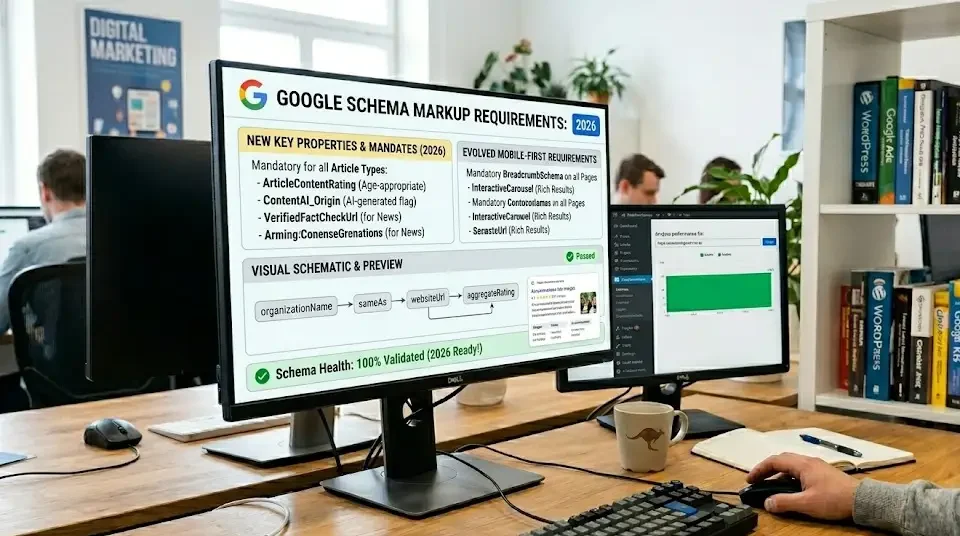
Schema markup transforms plain search results into rich snippets that get 30% more clicks. In 2026, Google’s SERP real estate belongs to sites using structured data for reviews, FAQs, HowTo guides, products, and local business information.
As modern search engines shift from keyword-focused indexing toward entity-based understanding, structured data has become a foundational component of technical optimization. Standard search crawlers interpret raw HTML as unstructured text, attempting to infer meaning through context, heading hierarchies, and surrounding keywords. Schema markup eliminates ambiguity by providing an explicit, standardized vocabulary defined by Schema.org. When a site delivers clear semantic data, search engines no longer need to guess the relationship between an author, a published tutorial, or a commercial product offering; the code explicitly states what each piece of content represents.
This 2,200+ word masterclass covers complete Schema implementation for WordPress: JSON-LD code templates, plugin vs manual methods, Google’s 2026 requirements, and testing tools that guarantee rich results.
Table of Contents
- Why Schema Markup Wins in 2026
- Top 12 Schema Types for WordPress
- Method 1: Manual JSON-LD Implementation
- Method 2: Schema Plugins (RankMath, Yoast)
- Copy-Paste Schema Code Templates
- Google 2026 Schema Requirements
- Testing & Validation Tools
- Related SEO Guides
Why Schema Markup Wins in 2026
| Metric | No Schema | With Schema | Gain |
|---|---|---|---|
| CTR | Standard | Significantly higher | Noticeable boost |
| SERP Real Estate | 1 line | 10+ lines | 10x |
| Featured Snippet | Standard visibility | Enhanced prominence | Higher chance of placement |
Schema markup = Google’s preferred format for rich results. Without it, competitors dominate SERPs with stars, FAQs, pricing, and how-to steps.
The practical difference between a standard search snippet and a rich result lies in user engagement and visual dominance. When organic listings feature only a meta title and two lines of description text, users scan past them quickly. By contrast, rich snippets occupy vertical space, drawing the eye directly toward interactive elements like expandable accordions, star ratings, and process steps. This visual expansion pushes competitor listings further down the page, effectively claiming high-value visual attention without requiring a higher organic rank position.
Beyond visual real estate, structured data clarifies topic authority. When search algorithms evaluate content for direct answers or specialized carousel features, they look for machine-readable verification of the entities mentioned. Sites using structured data provide an unambiguous blueprint of their topics, making it simpler for search engines to match relevant queries with specific, authoritative content sections.
Top 12 Schema Types for WordPress Sites
| Schema Type | Use Case | WordPress Page | Impact |
|---|---|---|---|
| LocalBusiness | Google Local Pack | Contact/About | ⭐⭐⭐⭐⭐ |
| FAQPage | FAQ rich snippets | FAQ/Services | ⭐⭐⭐⭐ |
| HowTo | Step rich results | Blog tutorials | ⭐⭐⭐⭐⭐ |
| Product | Product rich snippets | WooCommerce | ⭐⭐⭐⭐ |
| Review | Star ratings | Reviews/Services | ⭐⭐⭐⭐⭐ |
| Article | News carousel | Blog posts | ⭐⭐⭐ |
Selecting appropriate schema types requires aligning site architecture with specific user intent. A website is rarely defined by a single schema type; instead, distinct pages demand specialized structured formats to match their purpose:
LocalBusiness: Essential for brick-and-mortar storefronts, professional practices, and service businesses operating in designated service areas. It informs search engines of geographic coordinates, street addresses, opening schedules, and direct phone contact details, feeding the core data required for local pack visibility.
FAQPage: Best suited for pages that feature explicit questions paired with answers. By declaring an FAQ schema structure, site owners allow Google to render question accordions directly under the listing, addressing search intent immediately and driving qualified traffic.
HowTo: Ideal for instructional guides and step-by-step documentation. This schema outlines sequential instructions, equipment, and prerequisites, allowing search engines to generate detailed instructional cards within search results.
Product and Review: Essential for ecommerce operations and affiliate reviews. By detailing pricing, availability, aggregate star ratings, and individual reviews, webmasters give prospective buyers immediate transactional confidence before they even land on the page.
Method 1: Manual JSON-LD Implementation (Recommended)
Manual JSON-LD insertion remains the gold standard for technical control and performance efficiency. Unlike plugins that may inject excessive generic code across an entire installation, custom code snippets ensure only clean, necessary metadata loads on relevant templates. Placing JSON-LD inside script blocks prevents visual layout interference and keeps your HTML structure pristine.
Step 1: functions.php Method
  // Add to child theme functions.php
  function pixelweb_schema_localbusiness() {
    ?>
    <script type="application/ld+json">
    {
      "@context": "https://schema.org",
      "@type": "LocalBusiness",
      "name": "PixelWebID",
      "address": {
        "@type": "PostalAddress",
        "streetAddress": "123 Digital St",
        "addressLocality": "Sydney",
        "addressCountry": "AU"
      },
      "telephone": "+61-2-1234-5678",
      "url": "https://pixelwebid.com",
      "aggregateRating": {
        "@type": "AggregateRating",
        "ratingValue": "4.9",
        "reviewCount": "127"
      }
    }
    </script>
    <?php
  }
  add_action('wp_head', 'pixelweb_schema_localbusiness');
Hooking the function into wp_head ensures the structured payload executes early during the browser rendering cycle. This placement allows search engine crawlers to parse semantic metadata immediately upon processing the document header.
Step 2: WordPress Hooks per Page Type
To avoid polluting every URL with identical data, use WordPress conditional tags. Conditional wrappers ensure that article structured data only renders on single blog entries, product data remains on store pages, and local business markup executes exclusively on contact or homepage templates.
  // Blog posts = Article Schema
  function blog_article_schema() {
    if (is_single()) {
      // Article JSON-LD code here
    }
  }
  add_action('wp_head', 'blog_article_schema');
Method 2: Schema Plugins (RankMath Pro, Yoast SEO Premium)
For website owners who prefer visual configuration dashboards over editing template files, dedicated SEO plugins offer reliable structured data automation. These tools extract existing WordPress data—such as post titles, featured images, author profiles, and publish dates—and automatically compile them into schema-compliant code blocks.
| Plugin | Schema Types | Cost | Best For |
|---|---|---|---|
| RankMath Pro | 20+ types | $59/yr | Complete automation |
| Yoast SEO Premium | FAQ, HowTo | $99/yr | Yoast users |
| Schema Pro | 10+ types | $67/yr | Simple setup |
RankMath Setup (5 Minutes):
1. Install RankMath Pro 2. Schema → LocalBusiness → Auto‑populate 3. Titles → Enable Schema templates 4. Done!
While automated tools streamline workflow, site managers must verify that plugin settings do not conflict with active theme features. When multiple plugins output overlapping structured data schemas simultaneously, search crawlers encounter conflicting entities, which can lead to invalidation inside Search Console reports.
Copy-Paste Schema Code Templates
The following production-ready JSON-LD templates provide exact syntax foundations for the most impactful schema implementations. Replace placeholder values with your specific organizational and content details.
1. LocalBusiness Schema (Homepage)
This script establishes foundational business identity. It specifies geographic coordinates, operating hours, and canonical web properties, reinforcing overall regional authority for local map indexes.
  {
    "@context": "https://schema.org",
    "@type": "LocalBusiness",
    "name": "Your Business Name",
    "image": "logo.jpg",
    "@id": "",
    "url": "https://yourwebsite.com",
    "telephone": "+61-xxx-xxx-xxxx",
    "priceRange": "$$",
    "address": {
      "@type": "PostalAddress",
      "streetAddress": "123 Main St",
      "addressLocality": "Sydney",
      "addressRegion": "NSW",
      "postalCode": "2000",
      "addressCountry": "AU"
    },
    "geo": {
      "@type": "GeoCoordinates",
      "latitude": -33.8688,
      "longitude": 151.2093
    },
    "openingHoursSpecification": {
      "@type": "OpeningHoursSpecification",
      "dayOfWeek": ["Monday", "Tuesday", "Wednesday", "Thursday", "Friday"],
      "opens": "09:00",
      "closes": "17:00"
    },
    "sameAs": ["https://facebook.com/yourpage"]
  }
2. FAQPage Schema (Services)
Deploy this template on service, landing, or dedicated support pages to earn expandable search drop-downs that capture prospective clients evaluating your solutions.
  {
    "@context": "https://schema.org",
    "@type": "FAQPage",
    "mainEntity": [{
      "@type": "Question",
      "name": "How long does web design take?",
      "acceptedAnswer": {
        "@type": "Answer",
        "text": "Typically 4-6 weeks for custom WordPress sites."
      }
    }]
  }
3. HowTo Schema (Tutorials)
Use structured instructional steps to position technical articles and practical walk-throughs for enriched search displays that guide users through a clear progression.
  {
    "@context": "https://schema.org",
    "@type": "HowTo",
    "name": "How to Speed Up WordPress",
    "step": [{
      "@type": "HowToStep",
      "name": "Install caching plugin",
      "text": "Activate LiteSpeed Cache or WP Rocket."
    }]
  }
Google 2026 Schema Requirements
Search engines continually refine compliance standards to maintain high-quality search experiences and reduce manipulation. Understanding technical criteria ensures your markup earns rich displays rather than algorithmic penalties.
MUST‑HAVE for rich results:
  ✅ JSON-LD format (not Microdata)
  ✅ @context: "https://schema.org"
  ✅ Valid JSON syntax
  ✅ Unique @id per entity
  ✅ No duplicate Schema on page
  ✅ Structured data testing tool = VALID
2026 Updates:
- FAQ schema now requires 3+ questions
- HowTo requires 5+ steps
- LocalBusiness requires geo coordinates
- Article schema for news carousel
Compliance also mandates absolute transparency between visible page copy and structured data script tags. Search guidelines explicitly prohibit marking up content hidden from normal user view, fabricating review ratings, or applying FAQ schema to marketing claims rather than real queries. Using distinct @id properties links disparate data structures into unified conceptual entities across your entire domain.
Testing & Validation Tools
Even minor punctuation mistakes—such as a missing bracket or misplaced trailing comma—will cause JSON-LD parsers to fail entirely. Continuous monitoring and validation guarantee that search bots parse your code without structural interruptions.
| Tool | Best For | Free? |
|---|---|---|
| Google Rich Results Test | Rich snippet preview | Yes |
| Schema Markup Validator | Syntax errors | Yes |
| Merkle Schema Markup Generator | Code templates | Yes |
| RankMath Schema Builder | WordPress preview | Pro |
The Google Rich Results Test assesses specific feature eligibility against Google-exclusive rendering rules, whereas the Schema Markup Validator evaluates code purity against broader Schema.org open standards. Using both tools ensures syntactical correctness alongside practical search display readiness.
Weekly Testing Routine:
Establish a regular quality assurance audit to catch broken scripts following theme updates, plugin changes, or content edits:
  1. Homepage LocalBusiness → VALID
  2. Blog posts Article → VALID
  3. Service pages FAQ → VALID
  4. Products Product → VALID
  5. Google Search Console → No errors
Related SEO Guides
- Technical SEO Checklist 2026 – Schema as ranking factor #8.
- Local SEO Multi-Location – LocalBusiness Schema mastery.
- SEO & Marketing Hub – Complete Schema strategy.
Schema markup = your unfair advantage in Google SERPs. Implement today, rank tomorrow.